Automating lead follow-up with n8n
Leads that wait hours for a reply go cold. Here is the simple n8n flow I use so every form enquiry is saved, answered and passed to a person within a minute.
 Written byMuwafaq Murad
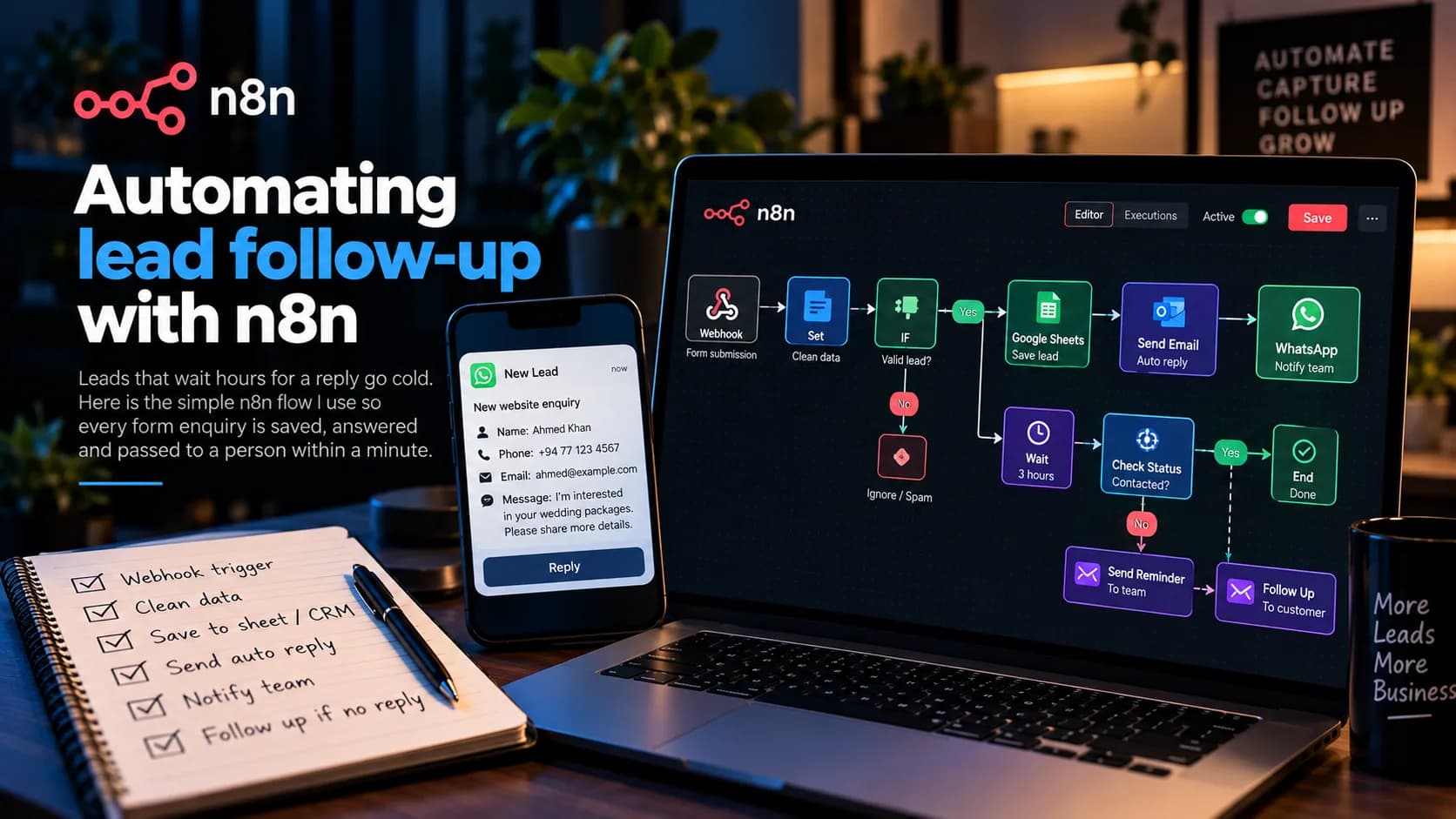
Most small businesses lose leads in the gap between "someone filled in the form" and "someone replied". The form sends an email, the email sits in an inbox, and by the time anyone answers, the customer has already called a competitor. This is a flow I build in n8n to close that gap.
The trigger
Everything starts with a Webhook node. The website form posts its data to the webhook URL. If the form lives in a tool like Google Forms or a page builder, I use that tool's own trigger node instead. Either way, n8n receives the lead within seconds.
Clean the data first
Before doing anything else, a Set or Code node tidies the fields: trim spaces, lower-case the email, put phone numbers in one format with the country code. Messy data here means failed messages later.
Then an IF node drops obvious junk, like empty messages or test entries, so they never reach a person.
Save it somewhere
Every lead goes into a Google Sheet or the client's CRM, with the time it arrived and where it came from. This is the record the business owner trusts. Even if every other step fails, the lead is not lost.
Reply straight away
The customer gets an email right away: thanks, here is what happens next, and here is how to reach us now if it is urgent. It is short and human, written by the client, not a wall of marketing text. Customers mostly want to know someone received their message.
Tell a person
The owner or sales person gets a notification where they actually look: WhatsApp, Telegram or Slack. It includes the name, phone number and message, so they can reply from their phone without opening anything else.
Follow up if nobody did
This is the part that makes the biggest difference. A Wait node pauses for a set time, say a few hours. Then the flow checks the sheet or CRM: has someone marked this lead as contacted? If not, it sends a reminder to the team, and the next day it can send the customer a gentle second message.
Things I always add
An error workflow that messages me if any step fails, so problems do not stay hidden.
Clear node names, so the client can read the flow later.
Credentials stored in n8n's credential manager, never pasted into nodes.
None of this is complicated. It just makes sure every lead gets an answer while the customer is still interested.